Schedule
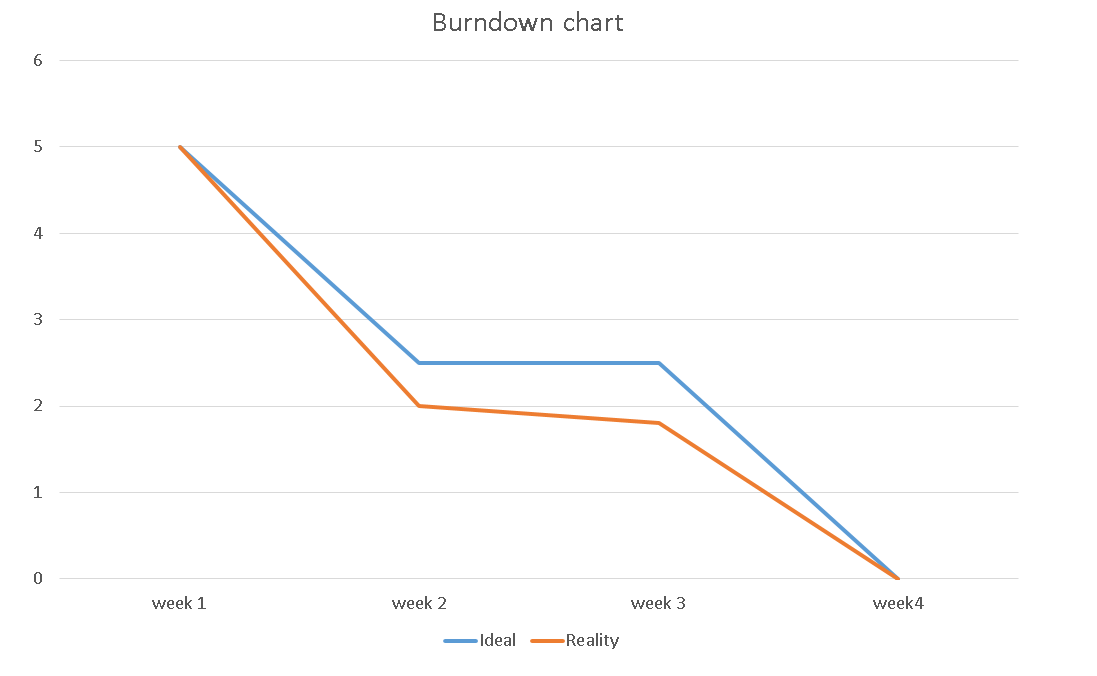
Here is a burndown chart I created this shows that for the next 4 weeks i will be putting in alot of hard work. I plan on researching on the major aspects that forests include, I will also be looking at famous forests that are located in the world and some forests that are located in games. This will be the inspiration when creating my own forest.
As you can see from the chart above the blue line represents the ideal line this means when i would like to get the work done and the orange line represents the reality this means when the work has to be handed in. As you can see from the lines there aren't any major gaps in the chart, Between week 2 and week 3 I would like to finish that work as fast as possible so I can put more work into my environment.
Research
For my environment I have chosen to create a forest. I chose to create a forest for no other reason that i have been in a forest and i know what known features are needed when creating one. The features i'll be looking to create a pond and some trees with a path for people to walk down. I would like to create a fully detailed environment however if I am not able to create it fully detailed I will create it low poly as this will be easier when trying to create the assets when it comes to rendering.

For my forest I have looked at previous forest features like there trees and ponds and I have created a 2D Top down map of how I will be making my forest.
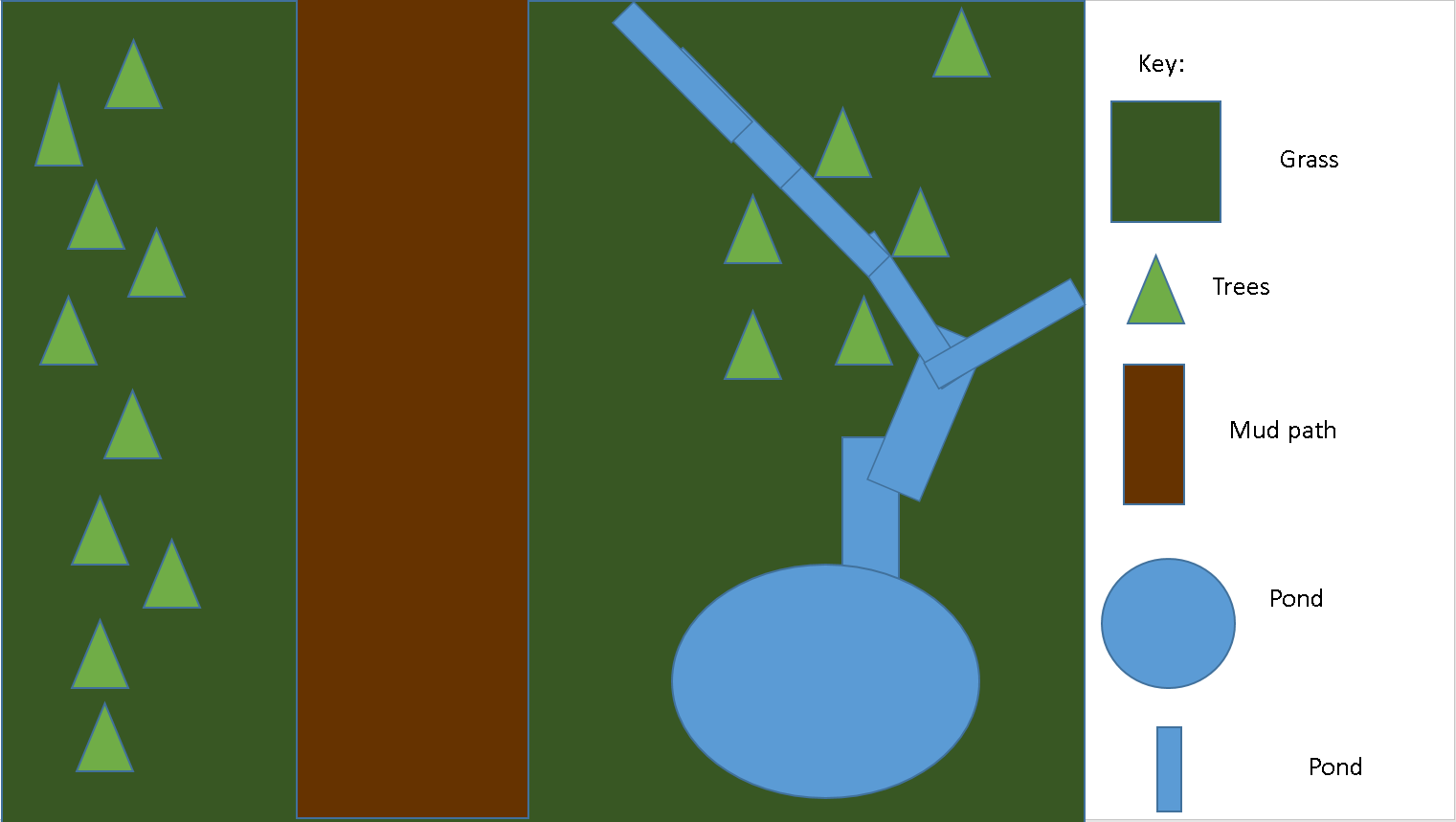
In the map above,The green square is showing off the grass in my environment. I chose to make it dark green in the map to make the grass stand out. The light green triangles on my map is telling the audience where exactly the trees are positioned, I also chose to make the trees a light green because that is the colour of trees i will be aiming for. The brown rectangle in my map is showing the audience what the footpath will look like. I decided to make it brown to make it look like the colour mud is. I decided to place the mud path in the middle of my map because if it was a real forest you would want people to see the pond and the trees.The blue circle and blue rectangles are to tell the audience where the pond is going to be located within my environment.
Legal and Ethical Checklist
For the legal and ethical part of my planning I have created all the assets on my own using the software bender. If this was a real environment and I was to take someone else's assets, I would have to mention that I took them otherwise that person could sue me. If my environment was to feature an asset where an event happened for example an attack I would have to remove that asset from my environment.

No comments:
Post a Comment