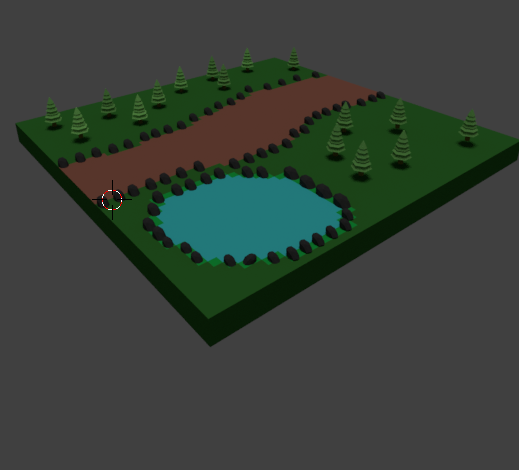
For my assignment I was told to choose a setting out of 4 choices. I chose to create a forest setting. When planning to make the forest setting I was looking at other forest sceneries like the famous forest Muir Woods Park which was used in the planet of the apes movie.I also looked at forests used in games like the swamps used in the witcher game series and the forest that is used in The Rise of The Tomb Raider.
When creating my Environment I wanted to create it as a real life detailed however when making the trees I realised that it would take a while to render if there were a bunch of trees used. After deciding to create a low poly environment. When creating my low poly trees I first looked at previous peoples designs on how they made them and I designed mine like them. Designing the trees would have to be one of the easiest things I have made that is in my environment.When creating the other assets it was time to make the base of my environment. After I put all my assets with the base of my environment I decided I would animate the pond to make it look like the water is running.
Overall I have really enjoyed this assignment and I would like to create something more like this in the future and I would like to learn new skills like making the pond look like real water or making the path have a bumpy texture to it. I am excited to see what comes next when creating an environment.
Wednesday, 31 May 2017

Tuesday, 6 December 2016
Task 3 - Final piece
Tree's
I started with a cylinder with 9 vertices and then I enlarged it by the 'Z' axes. After that I put in 5 cut loops and then scaled the loop cuts to make them look like sets of leaves


I started with a cylinder with 9 vertices and then I enlarged it by the 'Z' axes. After that I put in 5 cut loops and then scaled the loop cuts to make them look like sets of leaves


Rocks
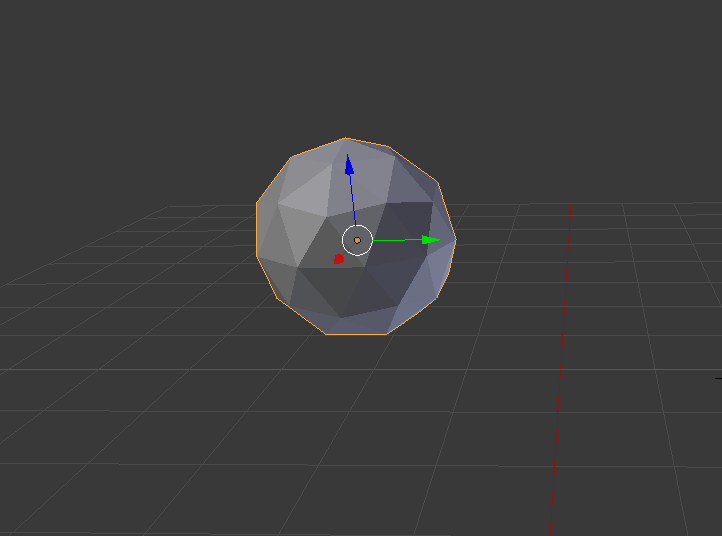
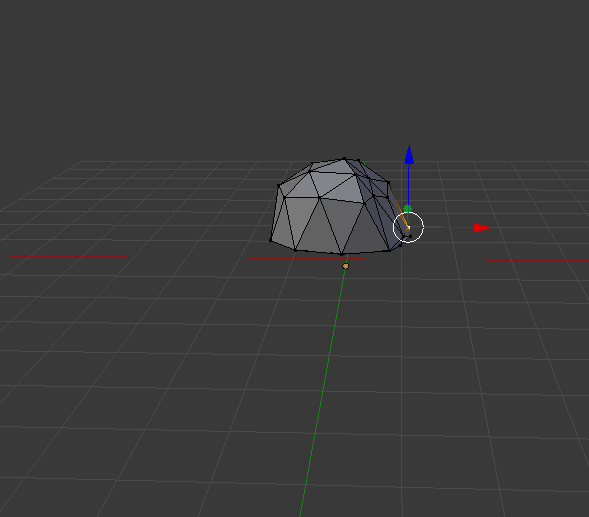
To start the rocks I used a ico sphere, I selected the bottom half of it and flattened it.
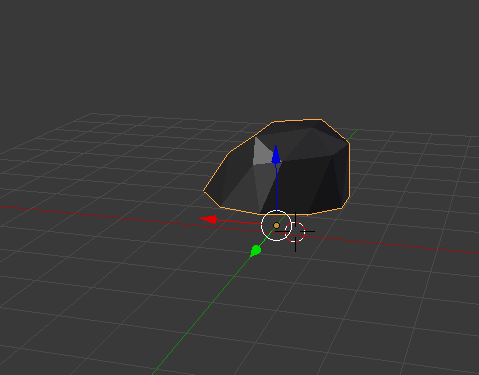
I then selected parts on the sphere and moved them in so it looks dented like a rock
I then added a black material to it to make it look more rock looking.
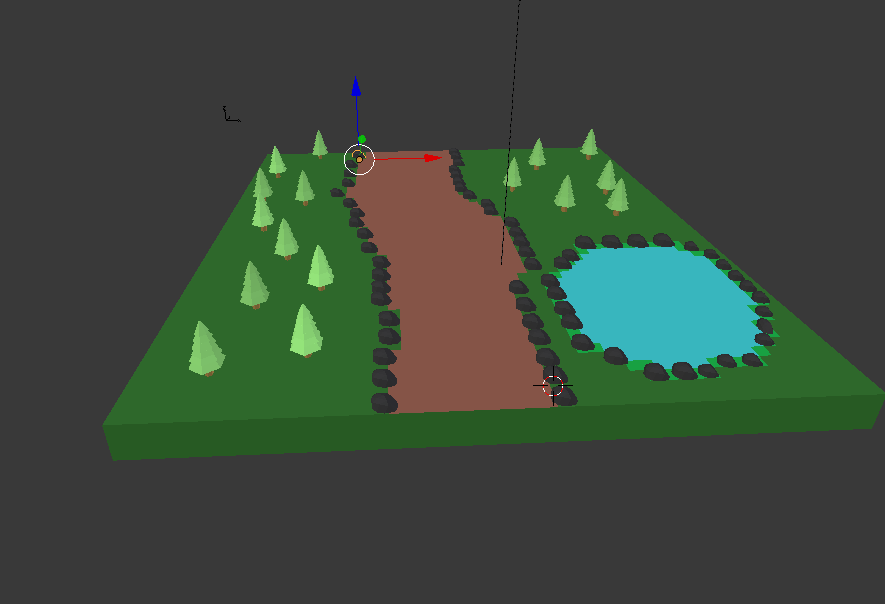
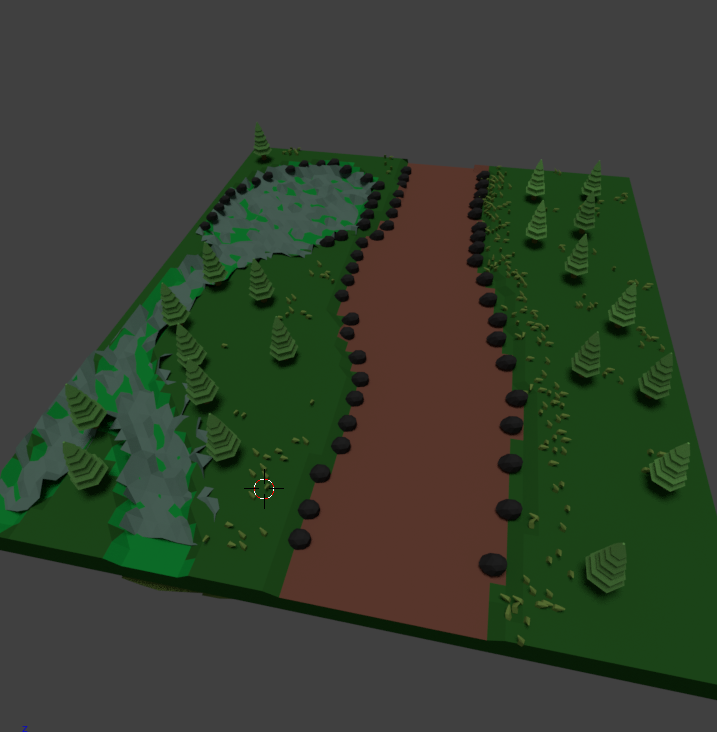
After making the rocks and trees I thought I would start to put it all together now. I created a plane and added a few forest like features to it like a grass material and a pond and a path.
I added a sun to brighten the place up and rendered it.
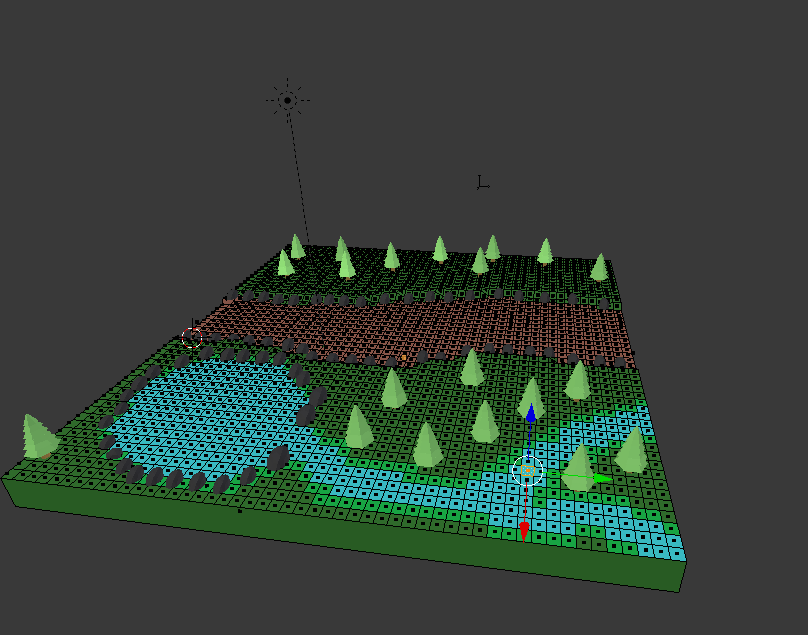
I then extended the pond to make it look like a stream.
When looking at my forest I realised it was missing a grassy effect.
Grass
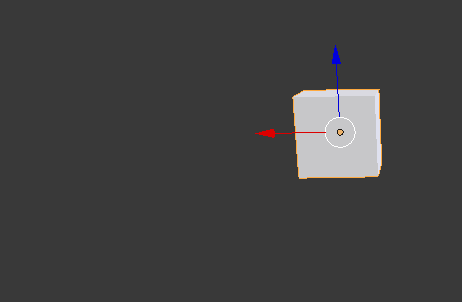
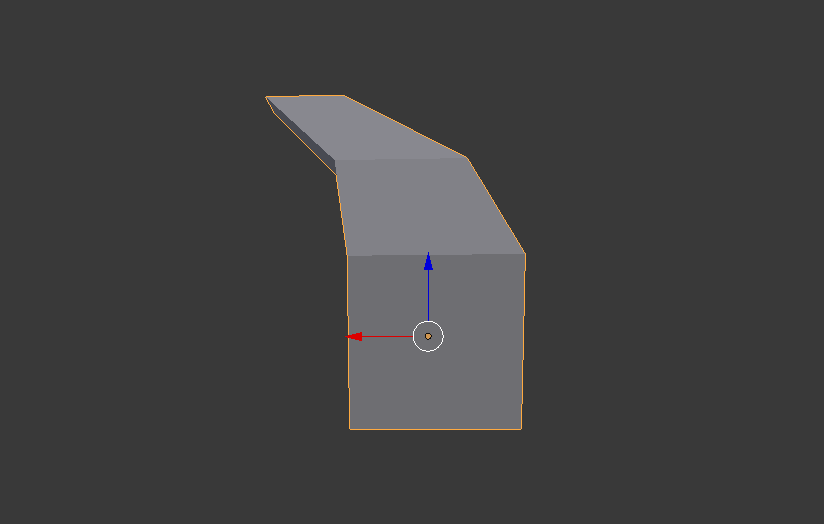
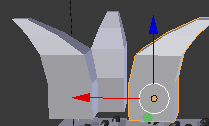
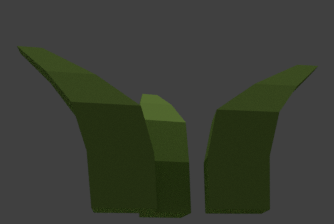
When making the grass I started off with a cube. I then extruded the cube on the 'Z' axes and then I scaled it down a little bit and then extruded and scaled it down some more. I then copy and pasted my grass 2 times and rotated until I thought it was to a grass standard.
I then gave them a brighter green to make them stand out when looking at my forest.
When adding the grass into my environment I also thought it would be a good idea to add an animated river and animate leaves falling off of the trees.
To animate the leaves falling off of the trees i made a cube the same colour as the trees and I added a particle effect to the trees. This means that the cube was paired to the trees to make it look like little cubes are falling.
When animating my river I added an empty object. I paired the object to the river and I moved the river. Doing this made it look as if the river had running water.
Task 2 - Planning
Schedule
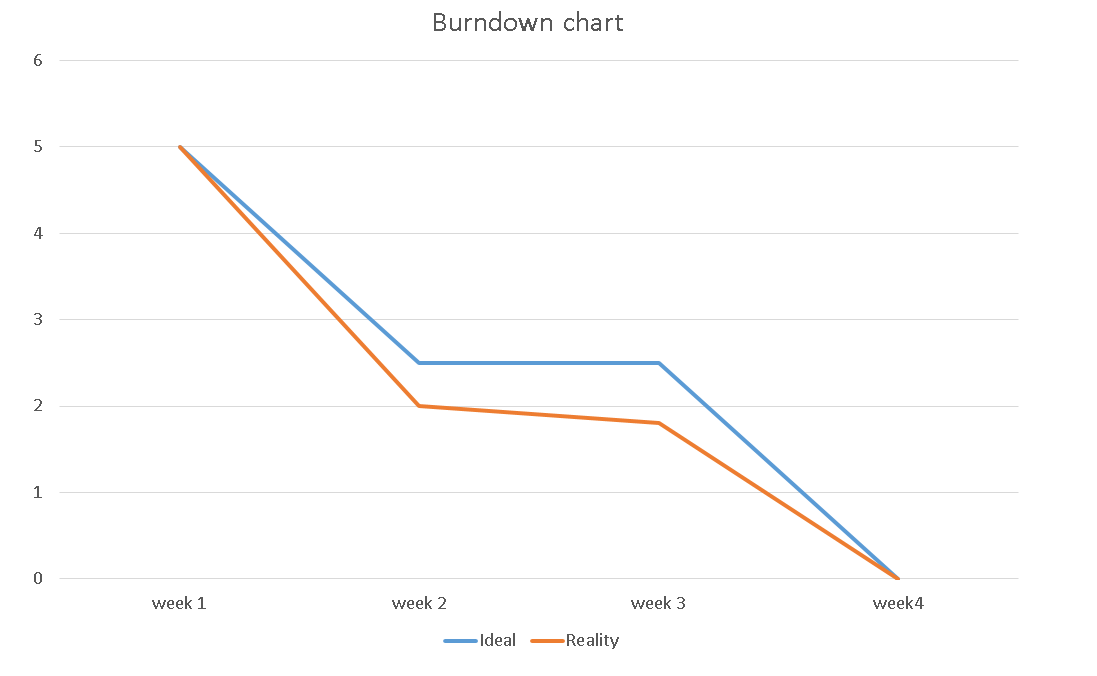
Here is a burndown chart I created this shows that for the next 4 weeks i will be putting in alot of hard work. I plan on researching on the major aspects that forests include, I will also be looking at famous forests that are located in the world and some forests that are located in games. This will be the inspiration when creating my own forest.
As you can see from the chart above the blue line represents the ideal line this means when i would like to get the work done and the orange line represents the reality this means when the work has to be handed in. As you can see from the lines there aren't any major gaps in the chart, Between week 2 and week 3 I would like to finish that work as fast as possible so I can put more work into my environment.
Research
For my environment I have chosen to create a forest. I chose to create a forest for no other reason that i have been in a forest and i know what known features are needed when creating one. The features i'll be looking to create a pond and some trees with a path for people to walk down. I would like to create a fully detailed environment however if I am not able to create it fully detailed I will create it low poly as this will be easier when trying to create the assets when it comes to rendering.

For my forest I have looked at previous forest features like there trees and ponds and I have created a 2D Top down map of how I will be making my forest.
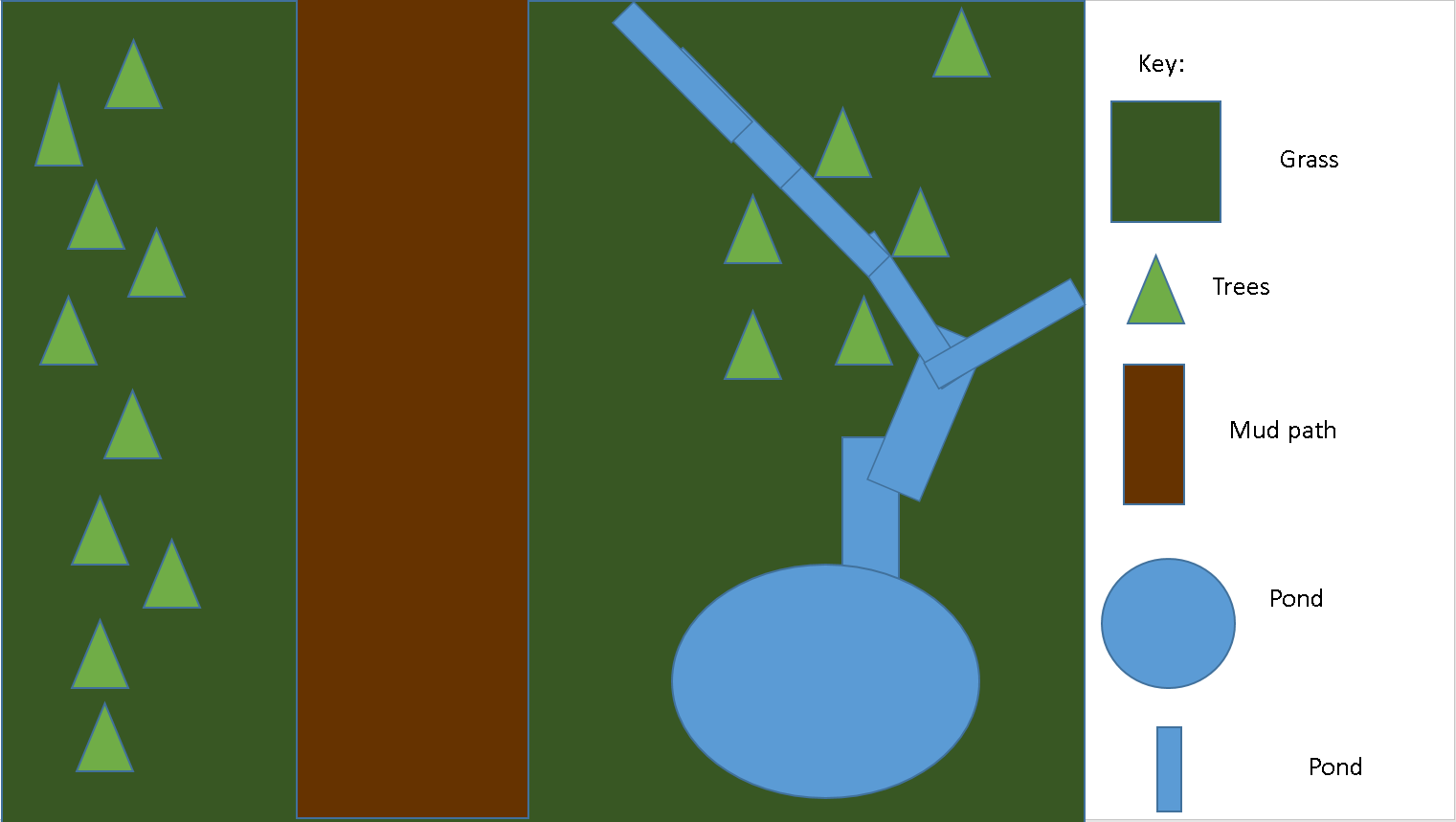
In the map above,The green square is showing off the grass in my environment. I chose to make it dark green in the map to make the grass stand out. The light green triangles on my map is telling the audience where exactly the trees are positioned, I also chose to make the trees a light green because that is the colour of trees i will be aiming for. The brown rectangle in my map is showing the audience what the footpath will look like. I decided to make it brown to make it look like the colour mud is. I decided to place the mud path in the middle of my map because if it was a real forest you would want people to see the pond and the trees.The blue circle and blue rectangles are to tell the audience where the pond is going to be located within my environment.
Legal and Ethical Checklist
For the legal and ethical part of my planning I have created all the assets on my own using the software bender. If this was a real environment and I was to take someone else's assets, I would have to mention that I took them otherwise that person could sue me. If my environment was to feature an asset where an event happened for example an attack I would have to remove that asset from my environment.
Monday, 5 December 2016
Task 1 - Theory
3D in games
The first ever 3D game was 3D Monster Maze which was released on a commercial games machine. It was developed by Malcolm Evans 1981 for the Sinclair ZX81 platform. The game awarded points for each step the player took without getting caught by the Tyrannosaurus Rex that hunted them in the 16 by 16 cell.
API
Games use software known as an API (Application Programme Interface) which is a set of tools for building software applications a good API makes it easier for the software to be developed as it gives you all the building blocks you need to make the software you're trying to make.
The Graphics pipeline
The graphics pipeline is the way that a computer transferees the mathematical data that it has on the object into the object that we see on the screen the 3D graphics pipeline typically takes a 3D object when it's in data and converts it into a 2D raster image Open GL and direct 3D both have very similar graphics pipelines


Stages of the graphics pipeline
First the scene is created out of geometric primitive shapes this is usually done using triangles as they are good for this as they always exist on a single plane.
After this stage comes the modelling
Modelling and Transformation

The basic object used in mesh modeling is a vertex, a point in three dimensional space. Two vertices connected by a straight line become an edge. Three vertices, connected to each other by three edges, define a triangle, which is the simplest polygon in Euclidean space. More complex polygons can be created out of multiple triangles, or as a single object with more than 3 vertices. Four sided polygons (generally referred to as quads) and triangles are the most common shapes used in polygonal modeling. A group of polygons, connected to each other by shared vertices, is generally referred to as an element. Each of the polygons making up an element is called a face.

Rigging3D rigging is the process of creating a skeleton for a 3D model so it can move. Most commonly, characters are rigged before they are animated because if a character model doesn't have a rig, they can't be deformed and moved around.
Vertices
vertices are used all the time in computer graphics, they define the corners and the surfaces of the 3D objects, Verticals are points that explain the corners of the geometric shapes. In cinema 4D you can edit the vertices so that you can change the shape of the model. Vertices can be use on complex shapes to smooth it out or too add more things to the object.
Polygons
Vertex is a basic object in mesh modelling. It is were two verticals get connected by a straight line and this becomes an edge. The simplest polygon is a triangle which are three verticals connected together to make three edges. A group of polygons is normally called an element, this is a group of triangles or quads. A face are the polygons that make up the element.
Lines,
Lines in cinema 4d is quite stright forward and from a line you can create a new object. With a line you can make it into a spline and put a lathe on it, to make it into a 3D object. Verticals can also be added in cinema 4d and can be made to make unusual shapes and objects.
Edges
An edge in cinema 4D is two lines connected and is the connection between them. A edge is known as a connection of two verticals. Something you can do with an edge is if you put it in an editable position you can make all kinds of objects.
Extrusion modeling.
This is a very popular type of modeling method that is also termed to as inflation modeling. In this technique you could create a 2D shape which traces the outline of an image. This would be done more commonly using a line tool.


This software was developed by Autodesk, 3Ds Max is a professional 3D software for animations, rendering and modelling. Some of its features include:


The first ever 3D game was 3D Monster Maze which was released on a commercial games machine. It was developed by Malcolm Evans 1981 for the Sinclair ZX81 platform. The game awarded points for each step the player took without getting caught by the Tyrannosaurus Rex that hunted them in the 16 by 16 cell.
In the fifth generation the most 3D games started to be more released. While there were games prior that had used three dimensional environments, such as Virtual Racing and Star Fox, In star Fox the environment was made up of space projectiles like other spaceships and buildings.
With the power of what 3D games can now produce people were able to make huge worlds for players to explore like skyrim.With a full open world 3D game with graphics that were mindblowing for the time especially on the PC skyrim shows just how much both the technology to run games has improved and how much better they run,Tthe people would have never dreamed of a game such as skyrim
3D in Films
The first 3D animation in a film was in the 1976 movie called Futureworld, where A 3D animation of a rotating palm and face made of polygons is shown. This was actually the world's first 3D animation rendered in 1972.
In this era people are now able to create 3D spectacular movies like Avatar which was one of the most amazing films in 2009, Avatar was that one film for people to show off what they can really create when it comes to 3D and CGI
3D in TV
3D in medicine
3D is used in medicine for CT scans they can create a model of the inside what they scan and then look at the inside and determine what's up with the patient
3D in engineering
3D is used in engineering to create a model of what they want to make before they make it and test certain pressures on the construction and see if it holds up
3D in architecture
3d in architecture is used to show off the blueprints off a building before it gets built.
Displaying 3D Polygon Animations
API
Games use software known as an API (Application Programme Interface) which is a set of tools for building software applications a good API makes it easier for the software to be developed as it gives you all the building blocks you need to make the software you're trying to make.
The Graphics pipeline
The graphics pipeline is the way that a computer transferees the mathematical data that it has on the object into the object that we see on the screen the 3D graphics pipeline typically takes a 3D object when it's in data and converts it into a 2D raster image Open GL and direct 3D both have very similar graphics pipelines
Stages of the graphics pipeline
First the scene is created out of geometric primitive shapes this is usually done using triangles as they are good for this as they always exist on a single plane.
After this stage comes the modelling
Modelling and Transformation
This stage transforms the local objects consternates into the 3D world coordinate system
Next it transforms the 3D world Coordinates into 3D Camera Coordinates with the camera as the origin
Illuminates according to the lighting and reflectiveness of the object for example if the room as pitch black the objects will be seen as black
This stage transfares the 3D coordinates into a 2D view of the camera a object further away from the camera looks smaller and one's that are closer up look larger this is caused by the x and y coordinates of each of the objects being divided by it's z coordinate (this represents it's distance from the camera) in orthographic projection objects retain there original size regardless of distance from the camera.
Geometry Theory
The basic object used in mesh modeling is a vertex, a point in three dimensional space. Two vertices connected by a straight line become an edge. Three vertices, connected to each other by three edges, define a triangle, which is the simplest polygon in Euclidean space. More complex polygons can be created out of multiple triangles, or as a single object with more than 3 vertices. Four sided polygons (generally referred to as quads) and triangles are the most common shapes used in polygonal modeling. A group of polygons, connected to each other by shared vertices, is generally referred to as an element. Each of the polygons making up an element is called a face.

Vertices
vertices are used all the time in computer graphics, they define the corners and the surfaces of the 3D objects, Verticals are points that explain the corners of the geometric shapes. In cinema 4D you can edit the vertices so that you can change the shape of the model. Vertices can be use on complex shapes to smooth it out or too add more things to the object.
Polygons
Vertex is a basic object in mesh modelling. It is were two verticals get connected by a straight line and this becomes an edge. The simplest polygon is a triangle which are three verticals connected together to make three edges. A group of polygons is normally called an element, this is a group of triangles or quads. A face are the polygons that make up the element.
Lines in cinema 4d is quite stright forward and from a line you can create a new object. With a line you can make it into a spline and put a lathe on it, to make it into a 3D object. Verticals can also be added in cinema 4d and can be made to make unusual shapes and objects.
Edges
An edge in cinema 4D is two lines connected and is the connection between them. A edge is known as a connection of two verticals. Something you can do with an edge is if you put it in an editable position you can make all kinds of objects.
Mesh construction is a technique used in 3D modeling where the model is created bye modifying the primitive shapes and creating a draft of a final model, In most cases. A primitive funcion of box modeling includes extruding and scaling he shapes faces.
Extrusion modeling.
This is a very popular type of modeling method that is also termed to as inflation modeling. In this technique you could create a 2D shape which traces the outline of an image. This would be done more commonly using a line tool.


Primitive Modelling
With primitive modeling the computer graphics and CAD systems are used in various senses. Sometimes subroutines that draw the corresponding objects are called 'Geometric Primitives'. The most primitive they are they are more point and straight line segments. This type of modeling is used wit cubes , cones and spheres.


3D Studio Max
This software was developed by Autodesk, 3Ds Max is a professional 3D software for animations, rendering and modelling. Some of its features include:
- character animation and rigging tools
- animated deformers
- shader effects
- mesh and surface modelling
- texture assignment and editing
- material design
- many different cameras
- dynamics and effects
- lighting simulation and analysis
Maya
This modeling software was also developed by Autodesk, maya is a 3D software for animation, modeling, simulation, and rendering. Some of its features include:
- dynamics and effects
- deformers
- general animation tools
- natural looking character creation
- sculpting tool sets and polygonal modelling
- UV tool set
- surface modelling
- many rendering options
LightWave
LightWave 3D combines a state-of-the-art renderer with powerful, intuitive modeling, and animation tools. Tools that may cost extra in other professional 3D applications are part of the product package, including 999 free cross-platform render nodes, support for Windows and Mac UB 64 and 32-bit operating systems, free technical support and more
Cinema 4D
CINEMA 4D Studio is the very best that MAXON has to offer for professional 3D artists. If you want to create advanced 3D graphics but need a helping hand to ensure you create jaw-dropping graphics quickly and easily, then this is the choice for you.
Blender
Blender is the free and open source 3D creation suite. It supports the entirety of the 3D pipeline—modeling, rigging, animation, simulation, rendering, compositing and motion tracking, even video editing and game creation.
Some of Blenders features are:
animation toolset
Some of Blenders features are:
- photorealistic rendering
- fast modelling
- realistic materials
animation toolset
- sculpting
- fast UV unwrapping
- full compositor
Sketchup
Sketchup is a 3D software for architects, designers, builders, makers and engineers, but isn't limited just for that. It allows designing buildings and architecture, but also furniture and convert all of that into 2D documents. Models are made by making and extruding shapes.
ZBrush
Created by pixologic, ZBrush is a digital sculpting and painting program that has revolutionized the 3D industry with its powerful features and intuitive workflows. ZBrush offers the world’s most advanced tools for today’s digital artists. With an arsenal of features that have been developed with usability in mind, ZBrush creates a user experience that feels incredibly natural while simultaneously inspiring the artist within.
The two common measurements of a game model are polygon count and vertex count.
Polygon count of a model is really the triangle count. Games use triangles instead of polygons because the most modern graphic hardware is built to accelerate the rendering of triangles, so its renders quicker with triangles.
When a model is exported to a game engine, the polygons are all converted into triangles so the triangles are counted now. However different tools will create different triangle layouts within those polygons for example, a quadrilateral can end up as either a "ridge" or a "valley" depending how its triangulated.

Vertex count is more important for performance and memory than triangle count but more artists more commonly use triangle count as a performance measurement.
On the most basic level, the triangle count and the vertex count can be similar if the all the triangles are connected to one another. 1 triangle uses 3 vertices, 2 triangles use 4 vertices, 3 triangles use 5 vertices, 4 triangles use 6 vertices and so on.
On the most basic level, the triangle count and the vertex count can be similar if the all the triangles are connected to one another. 1 triangle uses 3 vertices, 2 triangles use 4 vertices, 3 triangles use 5 vertices, 4 triangles use 6 vertices and so on.

File Size
File size measures the size of a computer file. Typically it is measured in bytes. The actual amount of disk space consumed by the file depends on the file system. The maximum file size a file system supports depends on the number of bits reserved to store size information and the total size of the file system.
File size measures the size of a computer file. Typically it is measured in bytes. The actual amount of disk space consumed by the file depends on the file system. The maximum file size a file system supports depends on the number of bits reserved to store size information and the total size of the file system.
Rendering time
Rendering is the process of creating the actual 2D image or animation from the prepared scene. This is like taking a photo after the setup is finished in real life. There are different rendering methods that have been developed that range from non-realistic wireframe rendering through polygon based rendering to more advanced techniques such as scan line rendering. Rendering can take second to days to complete depending on the method.
Real time
"Rendering for interactive media, such as games and simulations, is calculated and displayed in real time, at rates of approximately 20 to 120 frames per second. In real-time rendering, the goal is to show as much information as possible as the eye can process in a fraction of a second, i.e. one frame. The primary goal is to achieve an as high as possible degree of photorealism at an acceptable minimum rendering speed (usually 24 frames per second, as that is the minimum the human eye needs to see to successfully create the illusion of movement). In fact, exploitation can be applied in the way the eye 'perceives' the world, and as a result the final image presented is not necessarily that of the real-world, but one close enough for the human eye to tolerate. Rendering software may simulate such visual effects as lens flares, depth of field or motion blur. These are attempts to simulate visual phenomena resulting from the optical characteristics of cameras and of the human eye. These effects can lend an element of realism to a scene, even if the effect is merely a simulated artifact of a camera. This is the basic method employed in games, interactive worlds and VRML. The rapid increase in computer processing power has allowed a progressively higher degree of realism even for real-time rendering, including techniques such as HDR rendering. Real-time rendering is often polygonal and aided by the computer's GPU."
Non real time
"Animations for non-interactive media, such as feature films and video, are rendered much more slowly. Non-real time rendering enables the leveraging of limited processing power in order to obtain higher image quality. Rendering times for individual frames may vary from a few seconds to several days for complex scenes. Rendered frames are stored on a hard disk then can be transferred to other media such as motion picture film or optical disk. These frames are then displayed sequentially at high frame rates, typically 24, 25, or 30 frames per second, to achieve the illusion of movement."
The difference between the two is really just real time rendering is used for games or interactive media, basically anything where you can look around using the camera, the quality isn't as good as non real time but it renders faster than non real time.
Subscribe to:
Posts (Atom)